Two real export paths in RankAbove: the Dashboard’s Export Report button, and the Optimizer’s Copy All, .md, and .csv options, plus when to reach for each.
Exporting from the Dashboard
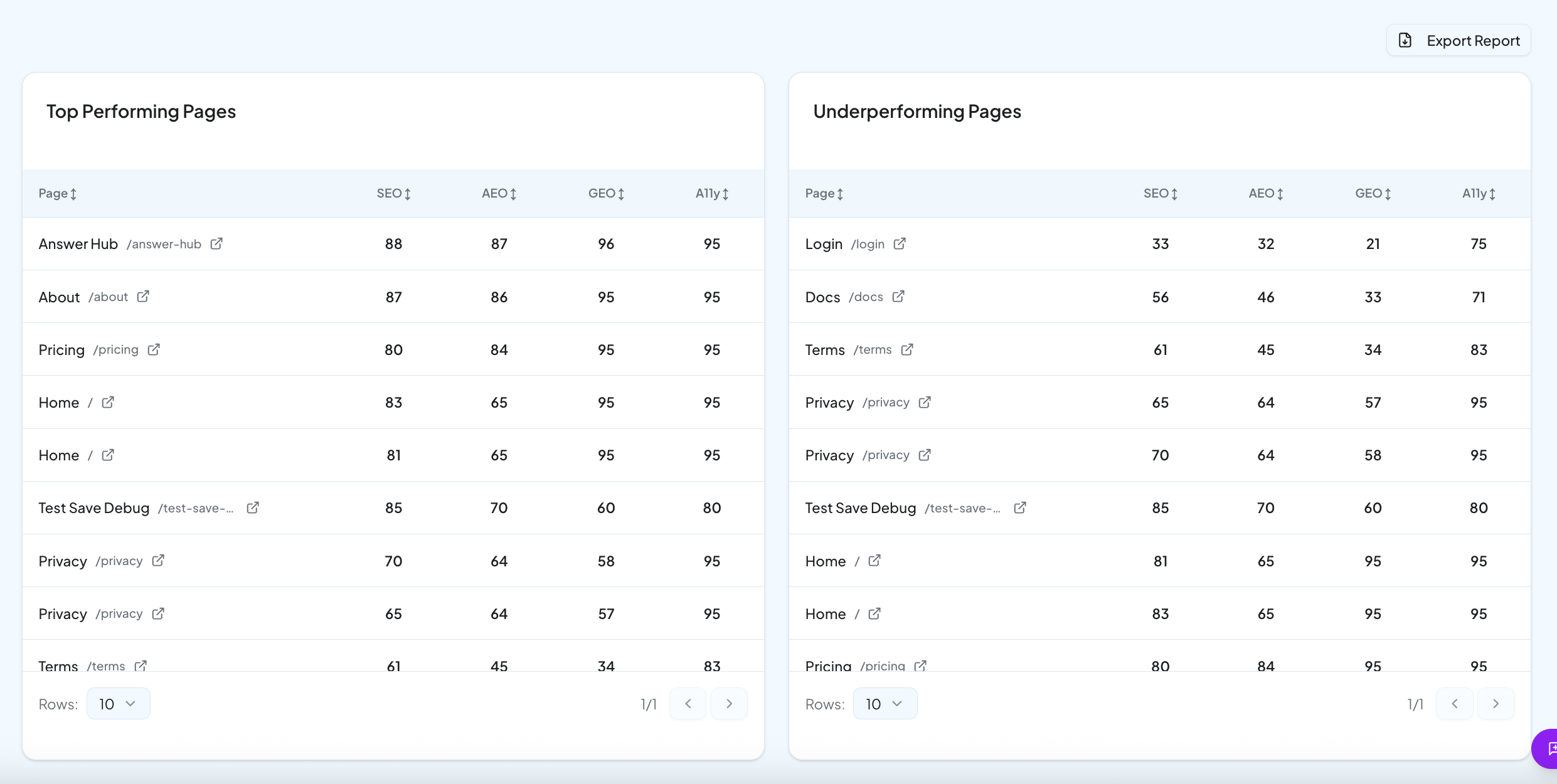
Above the Top Performing Pages and Underperforming Pages tables on your Dashboard, an "Export Report" button exports those page lists, with every page's SEO, AEO, GEO, and accessibility scores, for sharing outside RankAbove.
This is the fastest way to hand a stakeholder the current state of the site without giving them a login. See Reading your dashboard for what the rest of the page shows.
Exporting from the Optimizer
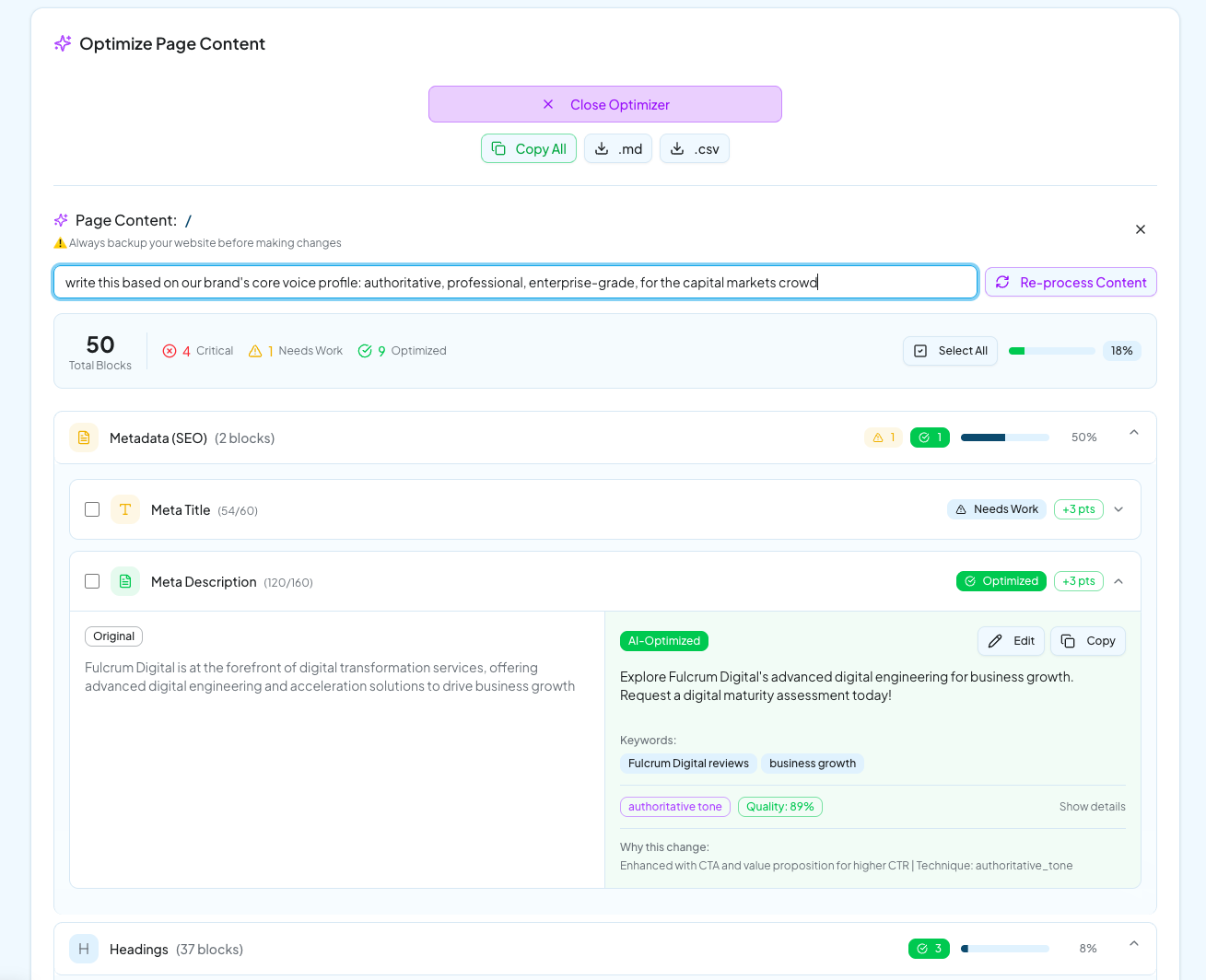
Inside the content optimizer, “Copy All,” .md, and .csv sit at the top of the panel, next to “Close Optimizer.” They export every recommendation on the page, Original and AI-Optimized text side by side, for teams that review or apply changes outside RankAbove.
Full detail on what's in each block lives in Optimizing page content in the editor.
Choosing a format
Copy All is fastest for pasting straight into a CMS or a doc. .md keeps headings and structure intact, a better fit for a wiki or a written brief. .csv opens as a spreadsheet, the right choice when a content team wants to sort, filter, or track recommendations in a shared tracker.
Using exports together
A common pattern: export the Dashboard's page lists as a monthly stakeholder update, and export a page's optimizer recommendations as .csv when handing that page's changes to a writer who doesn't have a RankAbove seat. Both exports reflect the same scores and recommendations you'd see in the product, just outside it.