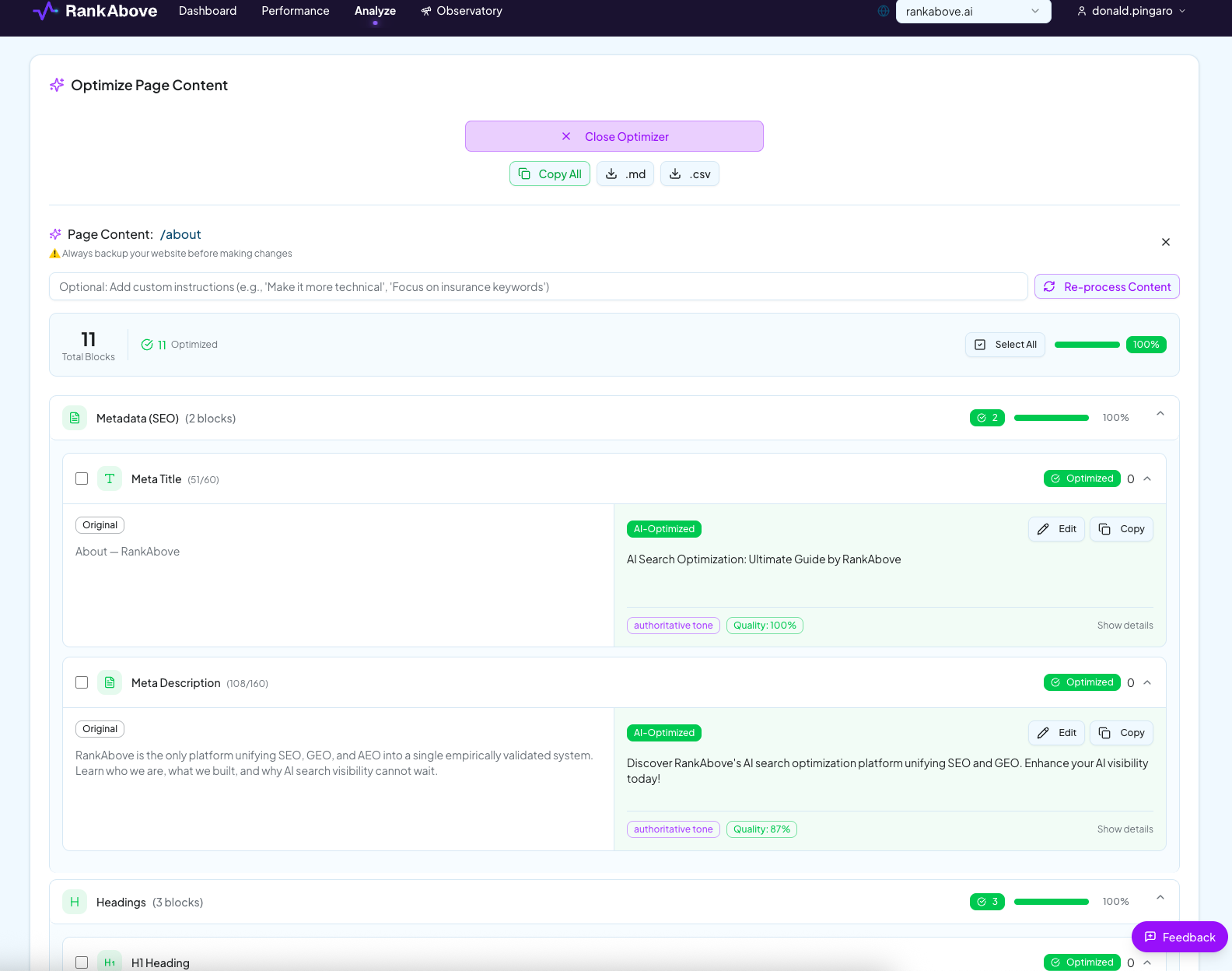
Tap the purple button to “Optimize Page Content.” This may take up to a minute for larger pages, but typically takes a few seconds. Once completed, you’ll see a side by side comparison of the page’s current content on the left side, and AI-optimized content recommendations on the right side, based on best practices in SEO, GEO, and AEO.
These recommendations also include conclusions drawn from RankAbove's data lab. As you analyze more pages, RankAbove learns what's working for your site. If the system finds out one of your pages is being cited on ChatGPT while the one you just analyzed isn't, RankAbove's recommendations will include specific strategies to make sure this page gets cited as well. With our recursive learning layer, RankAbove's recommendations constantly improve, giving you sharper and better results over time.
Once generated, your SEO manager or content team can review or edit, and then copy/paste the results onto your website before publishing. In minutes, you can detect gaps holding you back, get a diagnosis for how to improve the page, receive recommended action items, and apply them to your website.