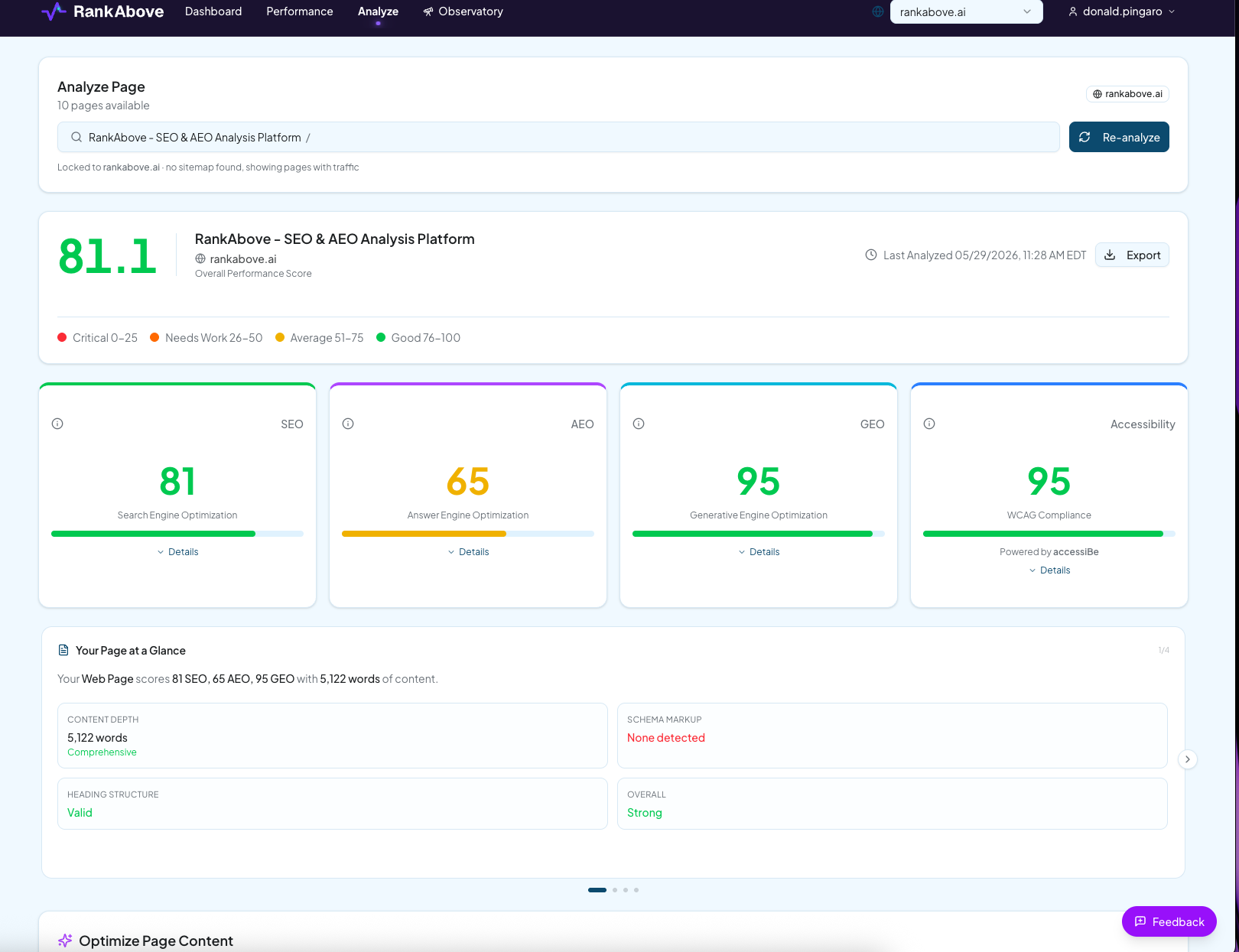
Click "Analyze" in the main menu. Select a page from the dropdown list, or start typing one to see a list of pages appear. Choose the page you want to analyze, and click "Analyze" to begin.
RankAbove’s system will crawl the page and review any connected data streams like Google Search Console and Google Analytics. Next, it will analyze the page looking for simple enhancements and gaps you can fill to improve search performance on SERPs as well as LLMs like ChatGPT, Claude, Gemini and more.
When the analysis is complete, you'll get a full report about how the page currently performs regarding search engine optimization (ranking factors), generative engine optimization (citation factors), answer engine optimization (direct answer factors), and an accessibility score. Scroll down to see critical recommendations that will appear in the slider titled "What We'll Optimize." This section includes an at-a-glance list of immediate action items for improving this page's performance, as well as a short list of what's working well. When you're ready, we'll scroll down and continue to the next section.